

When moving your site to Surge for technical management we may need you to update the nameservers to point them at our platform, if your domain name is registered with 123 Reg then this may help.
The steps are in essence;
Login to the 123 Reg Control Panel
From the My Products page find the domain you wish to manage and click the 'manage' link next to it
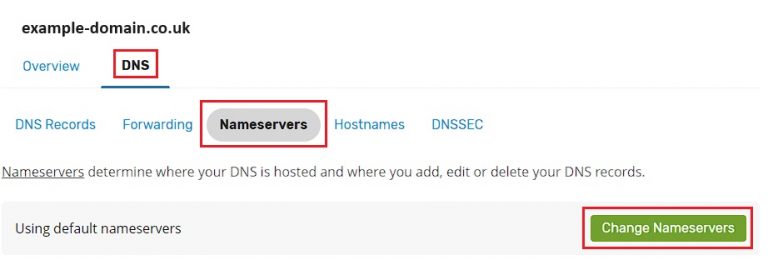
Once on that domain, click 'DNS', then 'Nameservers', then 'Change Nameservers'
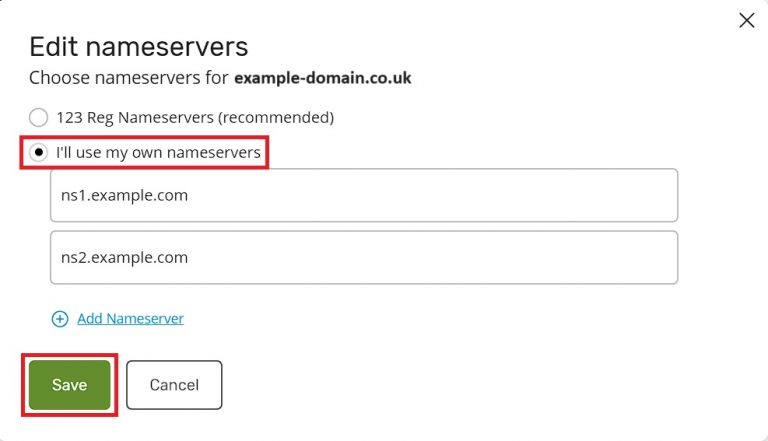
If not already selected choose 'use my own nameservers'
Remove any entries already present
Replace with the values provided by our technical team, eg;
drew.ns.cloudflare.com
hope.ns.cloudflare.com
If you need any further help please don't hesitate to reach out to our support team.